

FFCAM 2026 New Features
Tool Assist (Optional Feature)
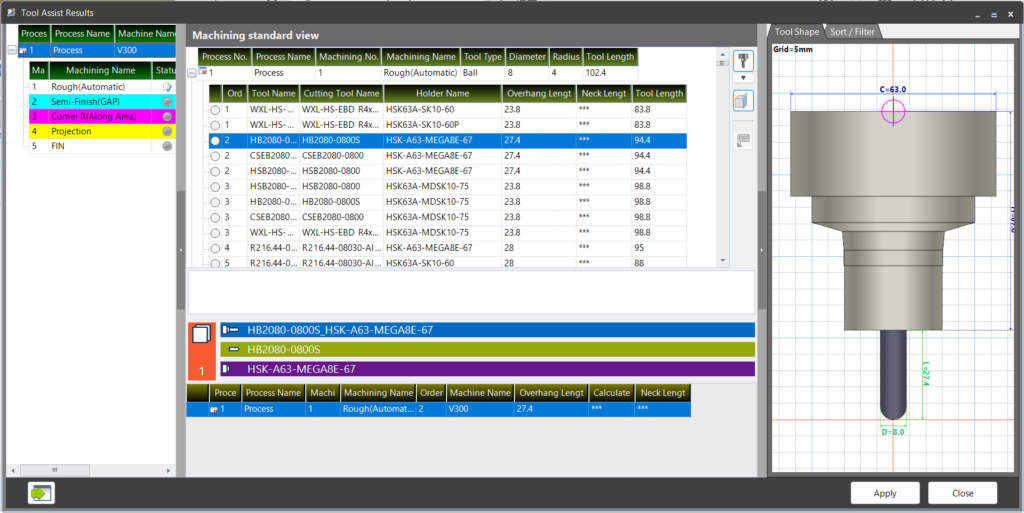
FFCAM now provides powerful support for tool selection — a task which has traditionally relied on operator experience and intuition.
- Automatic selection and recommendation: Simply specify geometry, material, tool diameter, and machining area, and FFCAM selects the optimal part number from the database and calculates the required tool overhang length. It automatically considers a wide range of factors, including geometric interference, machine stroke, and tool rigidity.
- Key benefits: Eliminates uncertainty in tool selection. Standardizes processes by reducing dependence on individual expertise, while simultaneously shortening lead time.
Improved Machining Performance
Optimized computation and algorithms reduce “waiting time” on the shop floor, delivering both efficiency and quality.
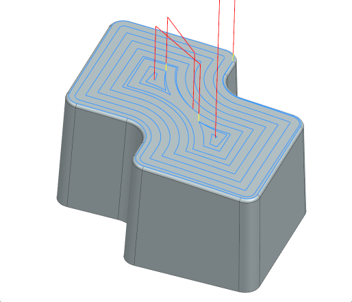
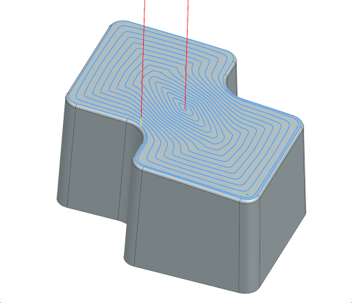
New “Spiral (escape suppression type)” pattern added to Projection machining
The conventional “Spiral” pattern is limited to outputting equally spaced paths. The new function automatically optimizes the spacing and generates a smooth, continuous toolpath in a single pass.
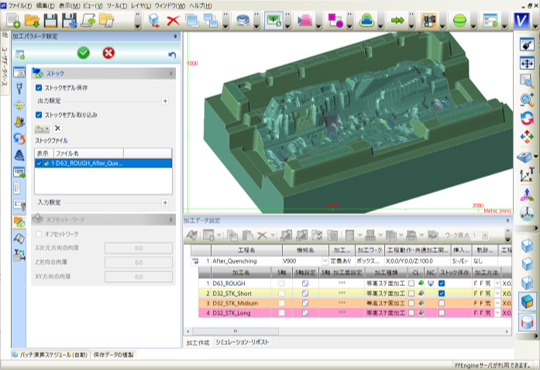
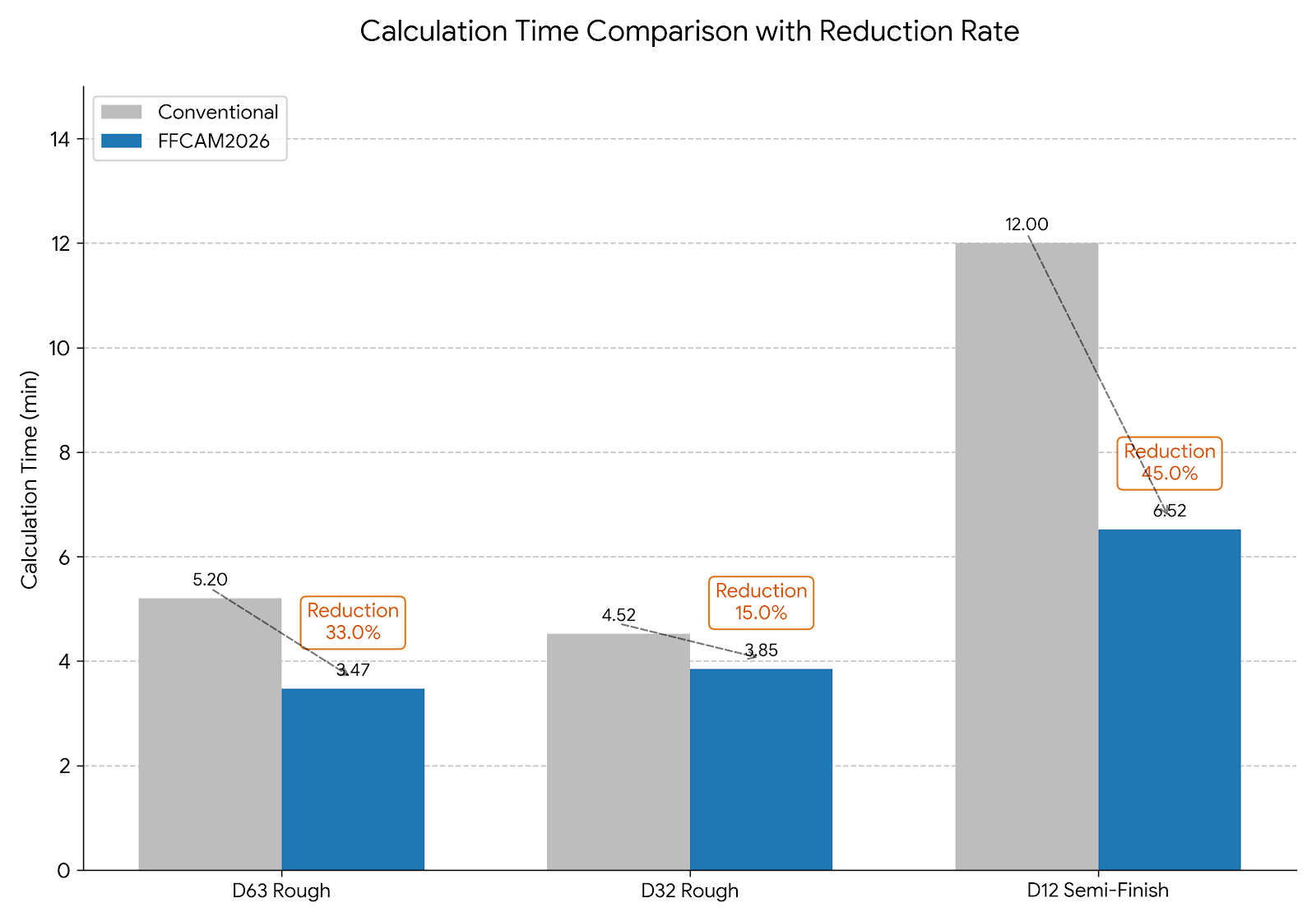
Faster computation for Stock machining
The loading process for stock models (remaining-material geometry) has been optimized, significantly shortening computation time. The time savings are especially noticeable for high-precision data and for heavy models that have been saved and reloaded repeatedly. This reduces idle waiting time and further boosts CAM productivity.
Improved area-priority behavior in Contour machining
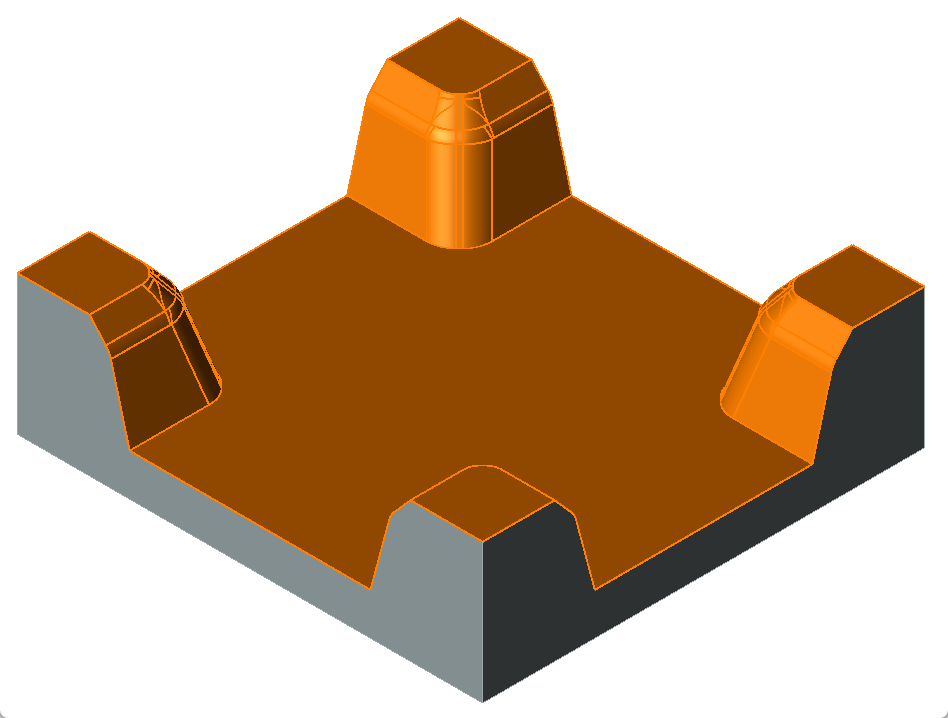
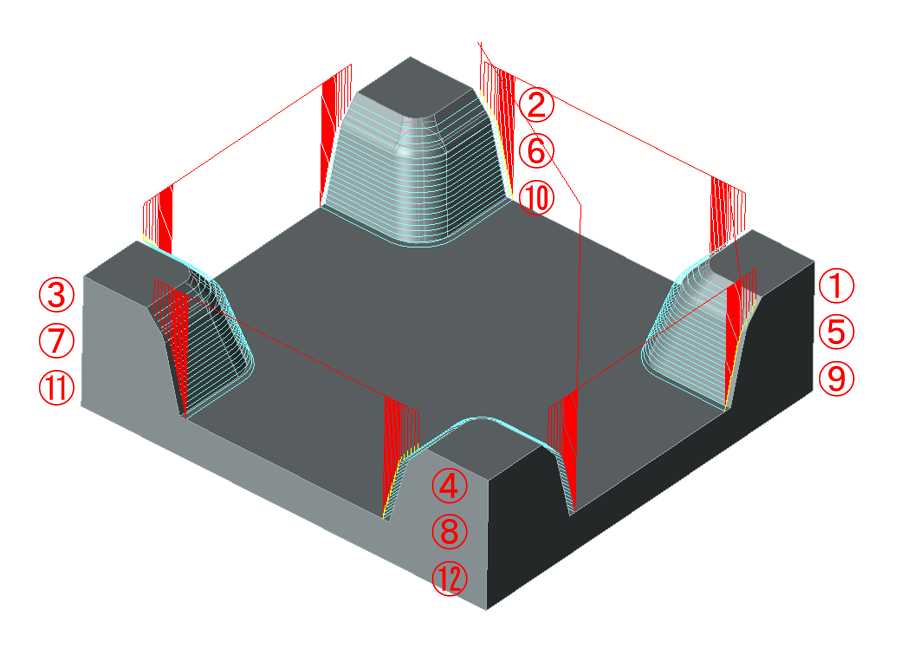
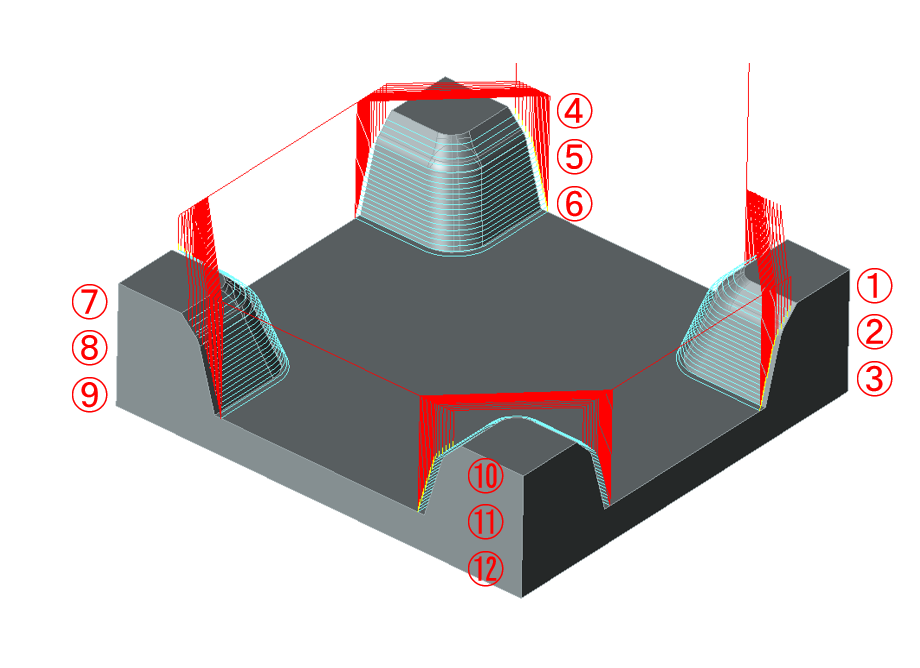
In previous versions, when multiple areas were scattered across a machining region, frequent retracts and transitions between areas resulted in wasted machining time.
FFCAM 2026 improves this behavior so that the tool fully finishes one area before moving on to the next. This eliminates unnecessary approaches and retracts, enabling machining along the shortest possible route.
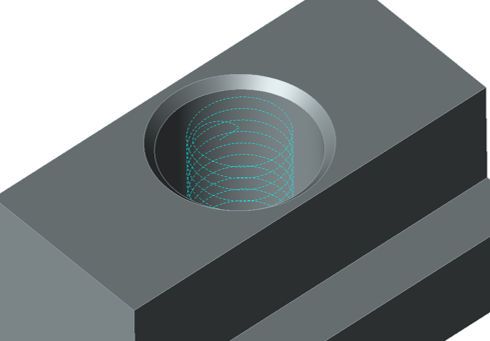
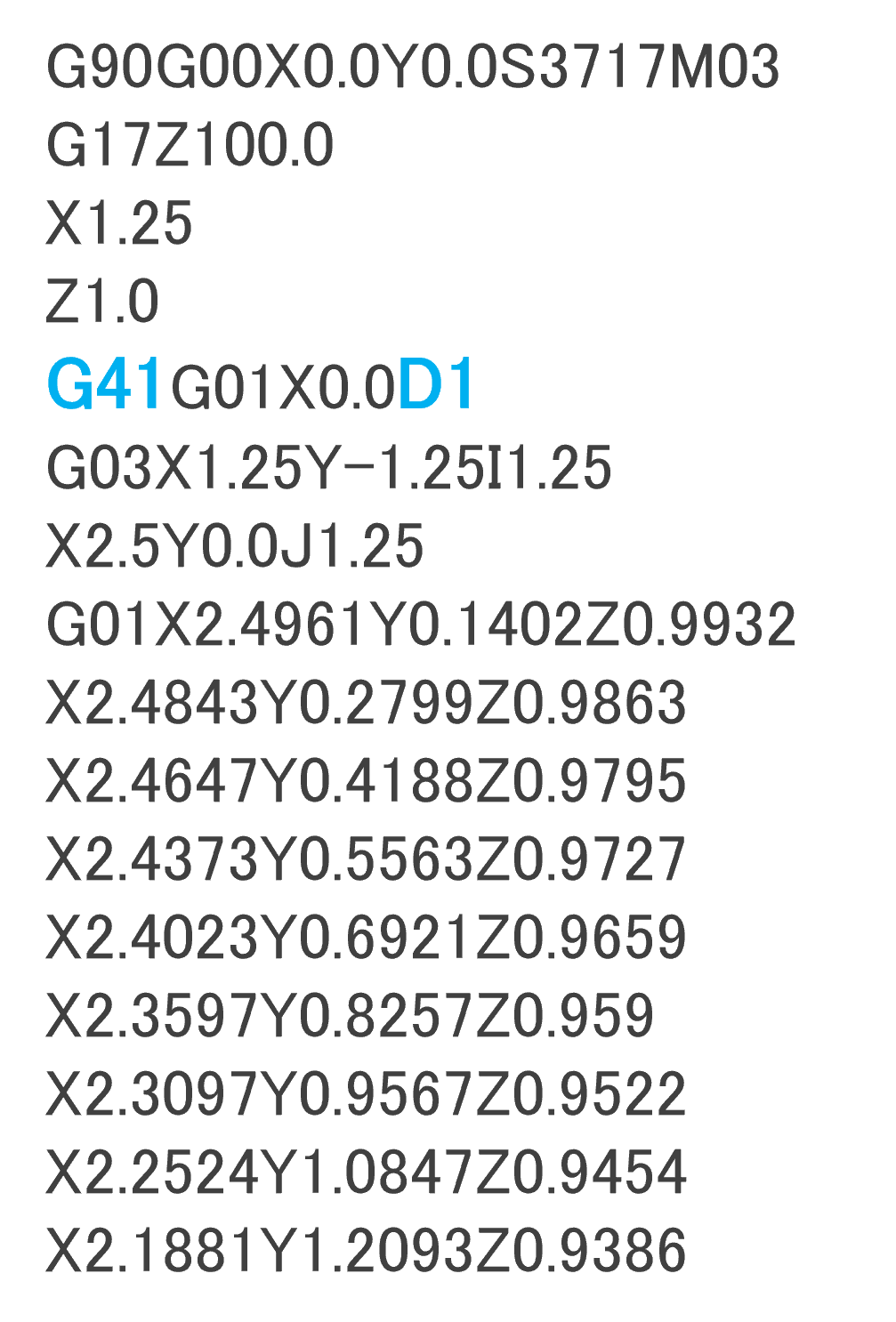
Tool radius compensation now supported for helical hole machining
Tool radius compensation now supported for helical hole machining.
Improved Visibility and Operating Environment
This update streamlines repetitive daily tasks.
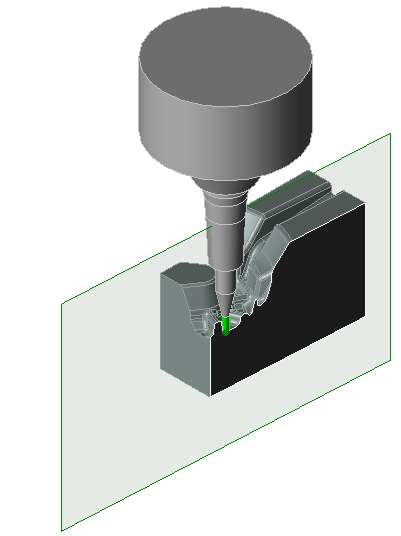
Expanded cross-section display
The cross-section display, previously available only in simulation mode, is now also accessible from the machining parameter setup screen. Even in deep ribs or complex undercut areas where the tool is difficult to see due to interference, you can now instantly switch to a cross-section view to inspect the tool. This lets you fine-tune the optimal tool length and position on the spot, improving the efficiency of the setup process.
Faster FFCAM startup
The startup process has been optimized to reduce the wait before you can start working.
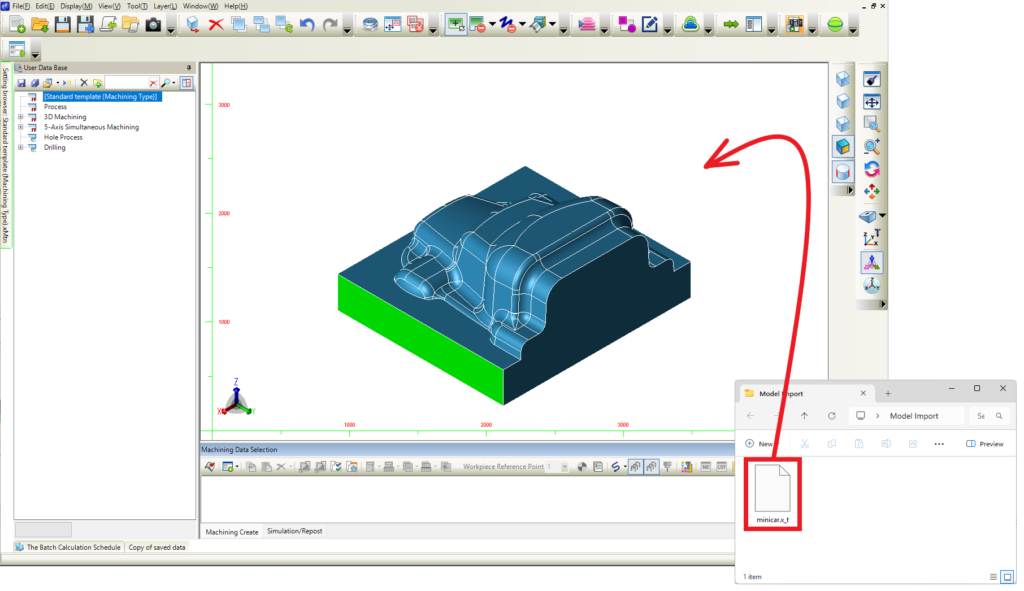
Faster model import
You can now import model geometry by dragging and dropping a file directly onto the graphics window.
High-DPI display support
Icons and text stay crisp on high-resolution monitors, reducing eye strain during long sessions.
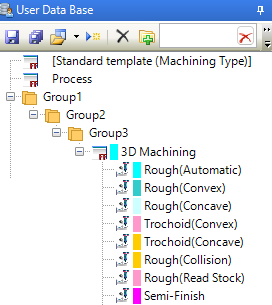
Enhancements to the User Database
You can now manage your ever-growing collection of machining templates with an intuitive, Windows Explorer–like operation.
- Organize and color-code templates: Sort templates into folders by purpose, and add marker colors to improve visibility.
- Search templates instantly: Locate the template you need in seconds, even with thousands of templates.
- Load faster: Database display and loading have been improved for a smoother experience.